



Website maintenance is the ongoing process of keeping a site secure, current, fast, functional, and aligned with business goals. It includes software updates, backups, security checks, performance tuning, content updates, form and checkout testing, SEO reviews, and accessibility or privacy checks.
The short answer to “Why does website maintenance matter?” is simple: a maintained website is less likely to fail visitors at the moment they are ready to call, book, buy, or request a quote. Routine care also helps a business catch small issues before they become expensive emergencies.
A website should be treated as a working business system, not a one-time design project. That view fits the approach at a PC of Mind: a strong online presence needs both a stable technical foundation and a clear growth strategy. The company brings its background in IT stability, proactive monitoring, cybersecurity, and system optimization together with digital strategy, SEO, content, and website development.
For local service businesses in Atlanta, Senoia, Fayetteville, and surrounding communities—and for organizations supported remotely—the principle is the same. Your website should accurately explain what you do, work reliably on every important visit, and make the next step obvious.
Table of Contents
Quick summary: Regular website maintenance protects revenue opportunities, customer trust, search visibility, and the value of your original website investment.
What Does Regular Website Maintenance Include?
Regular website maintenance combines preventive care, monitoring, testing, and continuous improvement. The exact schedule depends on the platform, traffic, integrations, compliance needs, and how directly the site supports revenue.
| Maintenance area | Typical tasks | Business outcome |
|---|---|---|
| Security | Software patches, access reviews, malware checks, SSL checks, vulnerability monitoring | Lower avoidable risk and faster incident response |
| Backups and recovery | Automated backups, off-site copies, restore tests, retention reviews | A reliable recovery path after errors, attacks, or data loss |
| Performance | Image compression, caching, script review, Core Web Vitals checks | Faster, smoother visits and less conversion friction |
| Functionality | Form, booking, search, login, cart, and checkout tests | Fewer missed leads and interrupted transactions |
| Content | Service, team, pricing, location, policy, and offer updates | More accurate information and stronger trust |
| SEO and AI visibility | Indexing checks, metadata, internal links, structured data, crawler controls | Better discoverability in search and AI-assisted results |
| Compliance and accessibility | Consent tools, privacy notices, data retention, keyboard and contrast checks | Reduced compliance risk and broader usability |
| Reporting | Uptime, analytics, update logs, issue summaries, recommendations | Clear accountability and better planning |
Maintenance is not the same as a redesign. A redesign changes the site’s structure, visual system, or customer journey at a larger scale. Maintenance keeps the existing site healthy and improves it incrementally; it can also reveal when a redesign has become the more sensible investment.
10 Core Benefits of Regular Website Maintenance
1. Stronger Website Security
Regular maintenance reduces preventable security exposure by keeping software current, limiting access, and maintaining a tested recovery path. No website can be guaranteed immune from attack, but consistent security hygiene makes common weaknesses harder to exploit and incidents easier to contain.
That matters because modern sites depend on interconnected components: a content management system, themes, plugins or apps, hosting, forms, analytics, payment tools, and third-party scripts. One abandoned plugin, unnecessary administrator account, or unpatched integration can expand the attack surface.
For WordPress in particular, ecosystem risk is concentrated outside the core software. Patchstack recorded 7,966 new WordPress ecosystem vulnerabilities in 2024—about 22 per day—and reported that 96% were in plugins and 4% in themes. It also found that 33% were unpatched before public disclosure, often because affected plugins had been abandoned (Patchstack, State of WordPress Security 2025). Those figures do not mean every WordPress site is unsafe; they show why component selection, updates, monitoring, and removal of abandoned tools belong in a maintenance plan.
Security maintenance commonly includes:
- Applying core, plugin, theme, app, and server updates after appropriate testing.
- Enforcing unique passwords and multi-factor authentication.
- Reviewing administrator accounts and applying least-privilege access.
- Removing unused software, themes, integrations, and tracking scripts.
- Monitoring malware alerts, suspicious logins, file changes, and unexpected redirects.
- Checking SSL certificates, DNS, security headers, and web application firewall settings.
- Creating and testing incident-response and restoration procedures.
WordPress itself describes security as risk reduction, not risk elimination, and recommends limiting access, containing possible damage, keeping regular backups, and using trusted plugin and theme sources (WordPress Hardening Guide).
2. Faster Pages and Better User Experience
Performance maintenance keeps a website responsive as content, scripts, apps, fonts, analytics tags, and design features accumulate. A site that was fast at launch can become noticeably slower after months of unreviewed additions.
Google’s Core Web Vitals measure real-world loading performance, responsiveness, and visual stability. Its current “good” thresholds are Largest Contentful Paint within 2.5 seconds, Interaction to Next Paint below 200 milliseconds, and Cumulative Layout Shift below 0.1; Google recommends good Core Web Vitals for search success and user experience, while making clear that no single metric guarantees rankings (Google Search Central).
| Performance signal | What it measures | Good target from Google | Common maintenance action |
|---|---|---|---|
| Largest Contentful Paint (LCP) | How quickly the main content becomes visible | 2.5 seconds or less | Optimize hero images, caching, fonts, hosting, and render-blocking code |
| Interaction to Next Paint (INP) | How quickly the page responds to interaction | Less than 200 ms | Reduce heavy JavaScript and third-party work |
| Cumulative Layout Shift (CLS) | How visually stable the page is | 0.1 or less | Reserve image/ad space and stabilize fonts and embeds |
Practical performance maintenance can include image resizing, modern image formats, caching reviews, database cleanup, app or plugin audits, code minification, tag-manager cleanup, and mobile testing. The goal is not a perfect score at any cost. It is a consistently quick and predictable experience on the pages that matter most.
3. More Reliable Leads, Bookings, and Sales
Routine functional testing protects the conversion paths that turn traffic into business. A polished homepage cannot compensate for a broken quote form, a failed calendar embed, an unusable mobile menu, or a checkout error.
Test from the user’s point of view:
- Can a visitor find the right service or product?
- Can the visitor complete the form, booking, or purchase on mobile?
- Does the confirmation message appear?
- Does the notification reach the correct employee or system?
- Are analytics and advertising conversions recorded correctly?
These checks are especially important after software updates, design changes, app installations, CRM changes, payment configuration updates, or new campaign launches. Maintenance turns conversion testing into a recurring control instead of a last-minute reaction.
4. Better Uptime and Faster Recovery
Uptime monitoring identifies outages quickly; a tested backup and response process reduces the time needed to recover. Backups alone are not enough if nobody knows whether they are complete, recent, accessible, and restorable.
The financial impact of downtime varies widely by business, so generic “cost per minute” claims are rarely useful for a small-company website. At infrastructure scale, however, outages can be severe: Uptime Institute reported that 54% of respondents said their most recent significant, serious, or severe outage cost more than $100,000, while 16% put the cost above $1 million. The report also cautions that outage data is inherently uncertain because reporting methods and transparency vary (Uptime Institute Annual Outage Analysis 2024).
For a local service business, the practical cost may be missed inquiries, paused advertising, damaged trust, staff time, and emergency developer fees. Recovery planning should therefore define:
- Who receives downtime alerts.
- Who has hosting, DNS, domain, CMS, and vendor access.
- Which backup should be restored.
- What recovery time is acceptable.
- How customers will be informed.
- How forms, orders, and analytics will be validated after recovery.
For planned downtime, Google recommends returning a temporary 503 Service Unavailable response rather than an error page with a 200 status, and warns that a prolonged 503 can eventually affect indexing (Google Search Central).
5. Fresher, More Trustworthy Content
Content maintenance keeps the website aligned with the business visitors are dealing with today. Old hours, staff profiles, prices, promotions, service areas, product information, policies, or portfolio examples create uncertainty.
A quarterly content review should cover:
- Service and product descriptions.
- Calls to action and contact details.
- Team biographies and credentials.
- Business hours and holiday information.
- Location and service-area pages.
- Prices, promotions, shipping details, and availability.
- Testimonials, case studies, and portfolio work.
- Privacy, refund, accessibility, and other policies.
- Older articles that still attract impressions or links.
For local businesses, accuracy should extend beyond the website to the Google Business Profile and other prominent listings. Avoid creating thin location pages that merely swap city names. Useful local pages explain the area served, the relevant service, real customer needs, and how to get help.
6. Sustainable SEO and AI Search Visibility
Website maintenance protects the technical and editorial signals that help search engines and AI systems find, understand, and cite content. Publishing new articles is only one part of visibility; maintaining existing pages is equally important.
An SEO maintenance review can identify:
- Broken internal and external links.
- Incorrect redirects and redirect chains.
- Accidental
noindextags or crawler blocks. - Duplicate titles, weak descriptions, and unclear headings.
- Missing image alt text.
- Orphan pages with no meaningful internal links.
- Outdated structured data.
- Sitemap and canonical errors.
- Declining pages that need refreshed facts or a clearer answer.
- Local pages with inconsistent business information.
For Google’s AI Overviews and AI Mode, there are no special technical requirements beyond being indexed, eligible to appear with a snippet, and compliant with normal Search requirements. Google specifically recommends crawl access, internal discoverability, a good page experience, text-accessible key content, accurate structured data, and current Business Profile or Merchant Center information (Google Search Central, AI Features and Your Website).
For ChatGPT search visibility, OpenAI distinguishes OAI-SearchBot, used for search, from GPTBot, used for potential model training; site owners can manage them independently in robots.txt (OpenAI crawler documentation). A maintenance routine should therefore check robots rules, CDN or firewall blocks, metadata, structured data, and whether important answers remain available as clear on-page text.
7. Higher Trust and Conversion Potential
A maintained website feels credible because it removes doubt at every step. Visitors notice current content, secure browsing, consistent design, quick pages, clear navigation, working forms, and accurate contact details—even if they never call those qualities “maintenance.”
Small fixes can have an outsized effect on usability:
- Replace vague button labels with action-oriented text.
- Shorten forms to the fields the team actually uses.
- Improve mobile spacing and tap targets.
- Add proof near decision points.
- Clarify turnaround times, service areas, or delivery terms.
- Repair confusing navigation and dead ends.
Maintenance supports conversion rate optimization because it creates a regular cycle of observation, testing, and improvement rather than assuming the launch version will remain optimal.
8. Lower Total Cost Than Repeated Rescue Work
Preventive maintenance makes costs and workloads more predictable. It cannot prevent every failure, but it reduces the likelihood that several neglected issues will collide during a campaign, seasonal sale, or high-demand period.
| Proactive maintenance | Reactive neglect |
|---|---|
| Planned updates with backups and testing | Emergency update after a visible failure |
| Small recurring budget | Unplanned developer, recovery, and staff costs |
| Known site owner, access list, and documentation | Time lost locating credentials and vendors |
| Incremental performance improvements | Large optimization project after severe slowdown |
| Current content and policies | Customer confusion from outdated information |
| Routine vulnerability review | Exposure from abandoned or unpatched components |
| Restore procedure tested in advance | Uncertain recovery during an incident |
The right comparison is not simply “monthly fee versus no monthly fee.” It is the cost of structured prevention compared with downtime, lost opportunities, rushed fixes, and a larger rebuild caused by accumulated technical debt.
9. Easier Campaigns and Future Improvements
A healthy website is easier to build on. When hosting is stable, components are supported, data is backed up, templates are consistent, and analytics work correctly, new landing pages and campaign changes can launch with less risk.
Maintenance also creates documentation: what changed, why it changed, who approved it, and how to reverse it. That context reduces dependence on one employee or developer and makes future redesigns, migrations, and integrations less chaotic.
10. A Website That Evolves With the Business
The biggest long-term benefit of website maintenance is alignment. New services, audiences, locations, offers, proof points, and priorities should appear online before the site begins representing an older version of the company.
Every review should ask:
- Is this page still accurate?
- Does it answer the questions prospects ask now?
- Is the next step clear?
- Does the experience work on current mobile devices and browsers?
- Does the site support today’s sales and marketing priorities?
- Are local details, schema, and business listings consistent?
That ongoing alignment turns the website into a growth platform—language that reflects a PC of Mind’s positioning—rather than a static online brochure.
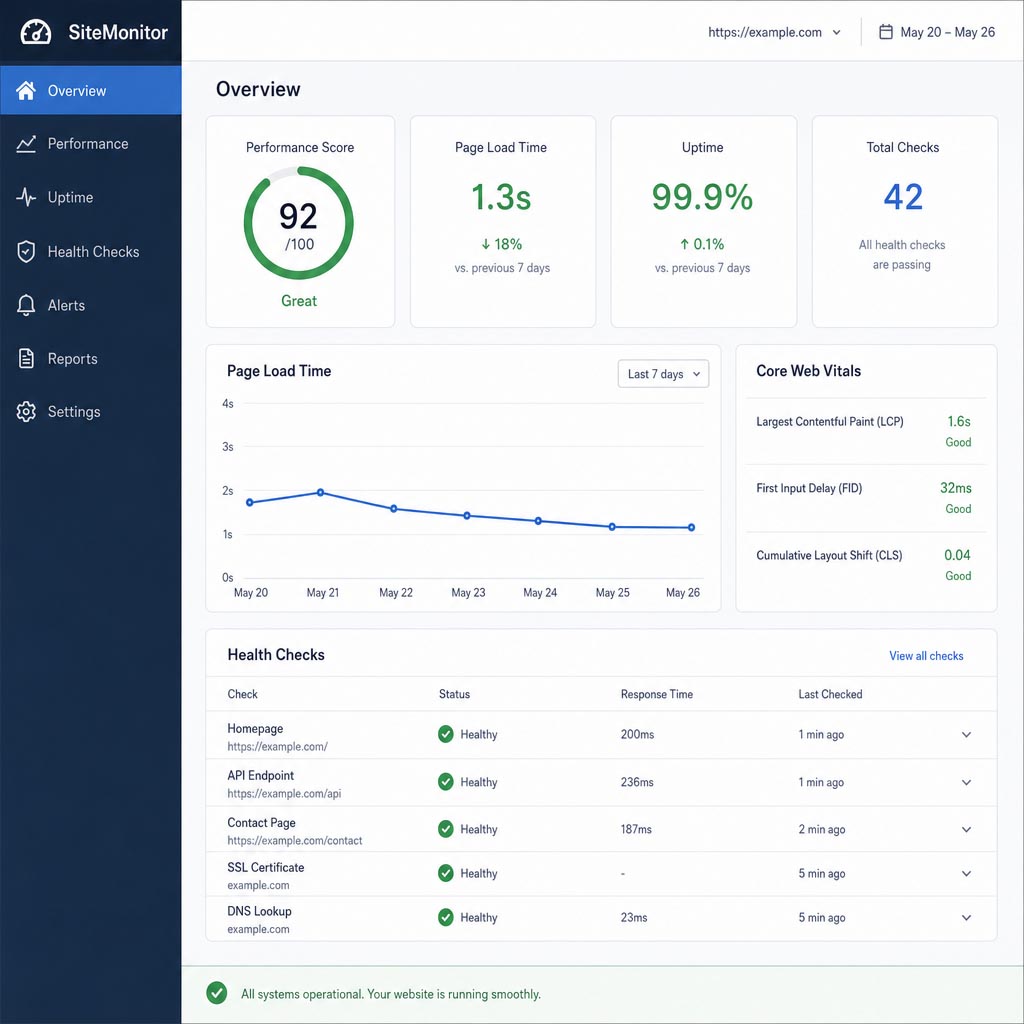
WordPress Website Maintenance: A Complete Guide
WordPress maintenance requires coordinated care across the core software, plugins, themes, PHP environment, database, security controls, backups, and third-party services. Updating everything blindly is not a sound process; updates should be prioritized, backed up, tested, and verified.
Keep WordPress Core, Plugins, and Themes Current
Updates close security issues, fix bugs, improve compatibility, and add features. WordPress provides a central Dashboard Updates screen for core, plugin, and theme updates, and warns that direct theme-file customizations can be lost during a theme update—one reason to use a child theme or a properly managed custom-code workflow (WordPress Updates documentation).
A safer update workflow is:
- Review release notes, vulnerability severity, compatibility, and business impact.
- Create a fresh backup of both files and database.
- Test high-risk updates in staging when practical.
- Update components in a controlled sequence.
- Clear caches.
- Test the homepage, priority templates, forms, logins, search, and checkout.
- Review error logs and analytics.
- Document the change and rollback point.
Automatic updates can be appropriate for trusted, low-risk components, but they do not remove the need for monitoring and regression testing. WordPress allows administrators to opt into automatic updates plugin by plugin and theme by theme (WordPress auto-update documentation).
Harden WordPress Security
Security hardening should reduce entry points and limit the damage possible if an account or component is compromised. A practical baseline includes:
- Unique administrator usernames and strong, unique passwords.
- Multi-factor authentication.
- Least-privilege roles; editors should not be administrators by default.
- Removal of unused accounts, plugins, and themes.
- Trusted sources for all extensions.
- Protected hosting, current TLS, and secure file transfer.
- Login protection and sensible rate limiting.
- File-change, vulnerability, and malware monitoring.
- A web application firewall where appropriate.
- Restricted database and file permissions.
- An incident response contact and clean restoration procedure.
Do not treat a security plugin as a substitute for updates, secure hosting, access management, and backups. Defense in depth matters because one control can fail.
Back Up Both the Database and Files
A complete WordPress backup needs two parts: the database and the files. The database contains posts, comments, settings, and other generated data; the files include WordPress code, themes, plugins, uploads, wp-config.php, and related assets. WordPress recommends regular backups, a backup before upgrades, multiple recent copies, and storage in different locations (WordPress Backups documentation).
| Site type | Suggested backup starting point | Extra protection |
|---|---|---|
| Small brochure site with rare changes | Weekly database and files | Backup before every update |
| Active lead-generation site | Daily database; daily or weekly files based on changes | Off-site copy and monthly restore test |
| Publisher or membership site | Daily or more frequent database; daily files | Retention across several restore points |
| WooCommerce or high-transaction site | Real-time or near-real-time order/database protection; daily files | Staging, off-site storage, and documented recovery |
These are planning ranges, not universal rules. Backup frequency should reflect the amount of data the business can afford to recreate. A backup is not proven until a restore test succeeds.
Manage Performance and Caching
WordPress performance can degrade through oversized media, page-builder output, database growth, slow hosting, uncached pages, too many third-party calls, or plugins that load assets everywhere.
A maintenance review should:
- Measure key templates with field and lab data.
- Configure page, browser, and object caching appropriately.
- Review CDN behavior and cache exclusions.
- Compress and correctly size images.
- Remove unused plugins, scripts, fonts, and tracking tags.
- Delay or reduce nonessential JavaScript where appropriate.
- Check whether logged-in, cart, checkout, or personalized pages are cached incorrectly.
- Test after changing caching or minification because aggressive settings can break layouts and forms.
Performance work should prioritize real user journeys, not just a single synthetic score.
Optimize the WordPress Database Carefully
The database collects revisions, transients, spam, expired sessions, logs, and plugin-created tables. Cleanup can improve manageability and may help performance on bloated sites, but it should be measured and backed up—not performed indiscriminately.
Review:
- Revision volume and retention.
- Expired transients.
- Spam and trashed comments.
- Orphaned tables left by removed plugins.
- Large autoloaded options.
- Scheduled tasks that run too often or fail.
- Database indexes and slow queries on larger sites.
WordPress permits revision limits through configuration or filters, while retaining revisions as useful recovery tools (WordPress Revisions documentation). Preserve a current backup before deleting database records, and confirm that removed data is not needed by an active plugin.
Monitor Uptime, Errors, and Site Health
External uptime monitoring should check the website independently of the server it watches. Configure alerts for repeated failures—not every transient network hiccup—and include checks for essential pages or endpoints when possible.
Inside WordPress, review Tools → Site Health for configuration issues and technical information about themes, plugins, media, and server communication. WordPress recommends checking Site Health regularly (WordPress Site Health documentation).
Also monitor:
- PHP and web-server error logs.
- Failed scheduled tasks.
- Email deliverability.
- Disk space and database size.
- SSL and domain expiration.
- Backup failures.
- Search Console security, indexing, and Core Web Vitals reports.
Check PHP Version and Compatibility
PHP is part of the WordPress runtime. An obsolete version can create security and support problems, while an upgrade can expose incompatible themes or plugins. WordPress notes that the platform rarely runs in isolation and publishes a compatibility matrix because core, themes, plugins, and PHP must work together (WordPress PHP compatibility handbook).
Before changing PHP:
- Confirm the target version is supported by the installed WordPress release.
- Check theme and plugin requirements.
- Back up the site.
- Test in staging.
- Review deprecation notices and error logs.
- Test integrations and conversion paths after deployment.
Maintain GDPR and Privacy Controls
Privacy compliance is an ongoing operational process, not a one-time banner installation. A WordPress site can add or change cookies when analytics, advertising pixels, chat, video embeds, maps, forms, or plugins change.
For organizations subject to GDPR, UK GDPR, PECR, or similar rules, maintenance may include:
- Inventorying cookies, pixels, local storage, scripts, and data flows.
- Confirming that the privacy and cookie notices match actual behavior.
- Checking whether nonessential tracking waits for valid consent where required.
- Recording and honoring consent choices.
- Removing unnecessary data fields and shortening retention periods.
- Limiting access to form submissions and customer records.
- Updating processor and vendor details.
- Testing data access, correction, export, and deletion workflows.
The European Commission describes GDPR principles including lawfulness, purpose limitation, data minimization, storage limitation, accuracy, integrity and confidentiality, and accountability (European Commission). Requirements vary by jurisdiction and use case, so obtain qualified legal advice rather than treating a plugin as a compliance guarantee.
Watch for Common WordPress-Specific Risks
| Risk | Why it happens | Maintenance response |
|---|---|---|
| Plugin conflict | Two components alter the same function or load incompatible code | Test updates in staging; isolate changes; keep rollback points |
| Vulnerable or abandoned plugin | No timely patch or active developer support | Monitor advisories; replace or remove unsupported components |
| PHP incompatibility | Host runtime changes faster than a theme or plugin | Check compatibility and stage PHP upgrades |
| White screen or fatal error | Code, memory, or dependency failure | Review logs; use recovery mode; roll back safely |
| Broken page-builder layout | Core, theme, builder, and add-on versions diverge | Update in a tested sequence and check key templates |
| Database bloat | Revisions, transients, logs, and unused tables accumulate | Measure, back up, and clean selectively |
| Email delivery failure | Hosting mail, DNS, SMTP, or form configuration changes | Use authenticated delivery and test end to end |
| Malware or SEO spam | Compromised credentials or vulnerable components | Contain, clean, patch, rotate access, and inspect indexing |
Shopify Website Maintenance: Protect the Buying Experience
Shopify handles much of the underlying hosted infrastructure, but merchants still need to maintain the storefront, theme, apps, data, content, tracking, and customer journey. A hosted platform reduces some server responsibilities; it does not eliminate operational maintenance.
What to Maintain on Shopify
- Test product discovery, filtering, search, cart, discount, checkout, and account flows.
- Review product details, inventory messaging, pricing, shipping, returns, and promotional dates.
- Audit app permissions, billing, scripts, and business value.
- Remove residual theme code when uninstalling apps if the vendor requires it.
- Review theme releases and custom-code compatibility.
- Duplicate the current theme and preserve custom code before significant changes.
- Check pixels, analytics, consent controls, and advertising conversions.
- Review broken links, redirects, metadata, product schema, and collection indexing.
- Monitor orders, payment issues, domain status, and storefront availability.
Shopify identifies themes, installed apps, and manually added third-party code as major factors affecting storefront performance, and recommends evaluating whether each app or tag provides enough value to justify its performance cost (Shopify performance guidance).
Update Themes Without Breaking Customizations
Theme Store updates can bring features, design improvements, bug fixes, and security fixes. Shopify recommends adding an updated copy to Draft themes, reviewing its release notes, checking display and function, and publishing only when ready. Custom code that conflicts with an update may not carry over, and some apps may not be compatible with a new theme (Shopify theme update guidance).
Before publishing an updated theme, test:
- Homepage and primary landing pages.
- Product and collection templates.
- Search, filters, variants, subscriptions, and bundles.
- Cart drawer or cart page.
- Discounts and promotional messaging.
- Mobile navigation.
- App blocks and embedded apps.
- Analytics, pixels, and consent behavior.
- Checkout-adjacent customizations available to the store’s plan.
Back Up the Parts Shopify Does Not Version for You
Maintain exports or independent recovery copies of critical product, customer, order, theme, and content data as appropriate. A duplicated theme is useful for theme rollback, but it is not a complete store backup. Document apps, settings, navigation, policies, markets, shipping rules, and integrations so the store can be reconstructed more efficiently if a configuration error occurs.
Webflow Website Maintenance: Keep Design-Led Sites Polished
Webflow maintenance focuses on content quality, responsive design, forms, integrations, publishing, domains, SEO settings, and regression testing. Webflow manages much of the hosting stack, but the published experience still changes as teams edit CMS items, add scripts, build campaigns, or connect new tools.
What to Maintain on Webflow
- Review CMS collection structure, field use, references, and archived content.
- Check responsive layouts across key breakpoints and real devices.
- Test forms, notification routing, spam controls, and CRM connections.
- Validate interactions and animations after design or script changes.
- Review custom code, embeds, third-party scripts, and consent behavior.
- Check domain verification, DNS records, SSL, redirects, and publishing targets.
- Audit page titles, descriptions, canonical settings, Open Graph content, sitemap behavior, and structured data.
- Review image sizes, fonts, animations, and scripts for performance.
- Check components, variables, and style consistency so edits do not create visual drift.
- Create a backup point before substantial changes and verify the live site after publishing.
Prevent Common Webflow Problems
| Common issue | Likely cause | Maintenance action |
|---|---|---|
| Form submissions do not reach the team | Notification, integration, spam, or account setting changed | Submit a real test and verify delivery in every connected system |
| Layout breaks at one screen width | Fixed dimensions, content growth, or class override | Test common breakpoints and long-content cases |
| CMS page looks incomplete | Missing required field, conditional visibility, or template change | Validate CMS entries and template bindings |
| Animation slows the page | Heavy interaction, media, or script execution | Compare performance before and after; simplify where needed |
| Search snippet is wrong | Outdated metadata or index settings | Review title, description, canonical, sitemap, and crawlability |
| Custom domain does not publish correctly | DNS, verification, or default-domain setting | Verify records, ownership, SSL, and selected publishing target |
Webflow’s domain guidance requires domain ownership verification before publishing and directs site owners to confirm the selected production domain when publishing (Webflow Help Center). Domain and DNS access should therefore be part of the site’s documented maintenance ownership—not left in an unknown former employee’s account.
Preserve the Design System as the Site Grows
Webflow’s visual flexibility is valuable, but ad hoc page edits can introduce duplicate classes, inconsistent spacing, and one-off patterns. A maintenance partner should understand both the visual system and the marketing purpose behind it. New landing pages should reuse established components where appropriate, preserve responsive behavior, and still make room for campaign-specific testing.
Website Maintenance Schedule: What to Check and How Often
The best maintenance schedule is risk-based: check revenue-critical and security-sensitive functions more frequently than low-change brochure content.
| Frequency | Recommended checks |
|---|---|
| Continuous or daily | Uptime, security alerts, backup status, transaction errors, critical form or checkout alerts |
| Weekly | Pending security updates, essential forms, booking or checkout flow, visible layout issues, spam, broken priority pages |
| Monthly | Core/plugin/theme/app updates, restore-point review, performance, analytics anomalies, Search Console, broken links, user access |
| Quarterly | Content accuracy, SEO and structured data, privacy/cookie audit, accessibility spot-check, full user journeys, unused tools |
| Annually | Domain/hosting ownership, disaster-recovery exercise, vendor and integration review, full content inventory, design and navigation review |
| Before and after major changes | Fresh backup, staging test, launch checklist, cache purge, regression test, analytics and conversion verification |
Security and Backup Schedule
| Control | Brochure or local-service site | Active lead-generation site | E-commerce or membership site |
|---|---|---|---|
| Uptime monitoring | Every 5–15 minutes | Every 1–5 minutes | Every 1–5 minutes plus transaction checks |
| Database backup | Daily or weekly, based on changes | Daily | Real-time or near-real-time where practical |
| File backup | Weekly and before changes | Daily or before changes | Daily and before changes |
| Off-site backup | Yes | Yes | Yes, with stronger retention |
| Restore test | Quarterly | Monthly or quarterly | Monthly |
| Security update review | Weekly and on alerts | Daily alerts; weekly review | Daily alerts and prioritized response |
| Access review | Quarterly | Quarterly | Monthly or quarterly |
Website Maintenance Plan Comparison
Choose a maintenance plan by business risk and change volume—not by the lowest number of listed tasks. The following tiers are a decision framework, not published a PC of Mind package names or prices.
| Capability | Essential care | Growth care | Business-critical care |
|---|---|---|---|
| Best for | Small brochure sites | Lead-generation and frequently updated sites | E-commerce, membership, or high-dependency sites |
| Uptime monitoring | Basic | Faster alerting | Faster alerting plus key workflow checks |
| Updates | Scheduled | Scheduled with staging for higher-risk changes | Prioritized, staged, and regression-tested |
| Backups | Automated with periodic review | Daily with off-site copy and restore tests | High-frequency, retained, off-site, restore-tested |
| Security | Baseline hardening and alerts | Vulnerability monitoring and access reviews | Advanced monitoring, response process, and vendor coordination |
| Performance | Periodic check | Monthly review and targeted improvements | Ongoing monitoring and budget-based optimization |
| Forms/checkout | Periodic test | Monthly and after changes | Frequent automated/manual journey checks |
| Content support | Limited scheduled edits | Recurring content and landing-page changes | Higher-volume publishing and campaign support |
| SEO/AEO/GEO | Technical basics | Search Console, schema, internal links, refreshes | Ongoing technical and content optimization |
| Reporting | Summary | Work log, metrics, and recommendations | Detailed reporting, priorities, and incident reviews |
| Response expectations | Standard business hours | Faster response | Defined priority process or SLA |
When comparing providers, ask:
- Which platforms and hosting environments do you support?
- What is included, excluded, and billed separately?
- Are updates tested, and how are failed updates rolled back?
- How often are backups created, where are they stored, and are restores tested?
- What qualifies as an emergency?
- What response time is promised for each priority?
- Does the plan include content updates, development time, SEO, or only technical upkeep?
- Who owns the domain, hosting, accounts, code, and backups?
- How are completed work and recommendations documented?
- Can the plan scale as traffic, integrations, or transaction volume grows?
Signs Your Website Needs Maintenance Now
A site needs attention when reliability, accuracy, security, or usability has begun to drift—even if it has not gone completely offline.
Common warning signs include:
- Pages load more slowly than they used to.
- Forms work inconsistently or submissions go missing.
- The checkout, booking tool, search, or account area produces errors.
- Images, buttons, or layouts break on some devices.
- Old services, staff, prices, hours, or offers remain live.
- Search traffic or indexed-page counts decline unexpectedly.
- Browser, SSL, malware, or “not secure” warnings appear.
- Administrators are afraid to update because something may break.
- Plugins, themes, apps, PHP, or integrations have not been reviewed recently.
- Nobody knows where backups are stored or whether they can be restored.
- Analytics and advertising platforms report conflicting conversions.
- Your team repeatedly answers questions the website should already resolve.
DIY Website Maintenance or Professional Support?
DIY maintenance can work for a simple, low-risk site when responsibility, time, and technical competence are clear. Professional support becomes more valuable as revenue dependency, integrations, data sensitivity, and publishing volume increase.
| Consideration | DIY may fit when… | Professional support may fit when… |
|---|---|---|
| Business dependency | The site is informational and noncritical | The site generates leads, bookings, sales, or member access |
| Technical complexity | Few components and integrations | Many plugins, apps, scripts, or custom features |
| Team capacity | A named owner has scheduled time | Maintenance is repeatedly postponed |
| Risk tolerance | Some downtime is acceptable | Downtime or data loss has immediate consequences |
| Change frequency | Updates are rare | Campaigns, products, or content change often |
| Accountability | Tasks and recovery steps are documented | Ownership is unclear or spread across vendors |
A professional partner should do more than “keep the lights on.” The partner should connect technical health with marketing, search visibility, customer experience, and business priorities.
Frequently Asked Questions About Website Maintenance
How often should a website be maintained in 2026?
Critical monitoring and backup checks should run daily or continuously, while software, functionality, analytics, and performance deserve at least a monthly review. Content, SEO, privacy, accessibility, and user journeys should usually be reviewed quarterly, with frequency increased for e-commerce, membership, publishing, or campaign-heavy sites.
How much does website maintenance cost?
Website maintenance cost depends on platform complexity, update frequency, content support, response time, security requirements, and whether development hours are included. Compare the scope and response process rather than a headline monthly price; a low-cost plan that excludes restores, testing, or urgent help may not meet a revenue-critical site’s needs.
What should a monthly website maintenance plan include?
A useful monthly plan should specify software and integration updates, backups, security monitoring, uptime checks, form or checkout testing, performance review, and a written work summary. It should also state exclusions, response times, included content or development time, backup retention, and the escalation process.
Can I maintain my website myself?
Yes, if the site is simple and a capable owner consistently handles updates, backups, testing, access control, and monitoring. DIY maintenance becomes risky when the site has custom code, sensitive data, payment flows, frequent changes, or no tested rollback procedure.
Are automatic updates enough for WordPress?
No. Automatic updates reduce delay for selected components, but they cannot judge every compatibility issue, abandoned plugin, custom-code dependency, failed update, or business workflow. Use them selectively alongside backups, uptime and vulnerability monitoring, and post-update testing.
Do Shopify and Webflow websites need maintenance if hosting is managed?
Yes. Managed hosting covers important infrastructure, but the business still owns themes, apps, custom code, CMS content, domains, forms, analytics, privacy tools, SEO settings, and customer journeys. These elements can become outdated or break even when the platform remains online.
Does website maintenance improve SEO?
Maintenance supports SEO by preserving crawlability, uptime, page experience, internal links, metadata, structured data, and accurate content. It does not guarantee rankings, but it removes technical and content problems that can make a site harder for people and search engines to use.
How should a website be maintained for AI Overviews and ChatGPT?
Keep important information accurate, clearly written, available in text, internally linked, indexable where desired, and supported by structured data that matches the visible page. Review robots.txt, CDN rules, snippet controls, Googlebot access, and AI crawler settings; Google says normal SEO foundations apply to AI Overviews and AI Mode, while OpenAI provides separate controls for search and training crawlers (Google Search Central; OpenAI).
How often should website backups be tested?
Restore tests should occur on a defined schedule and after significant backup-system changes. Monthly may suit a transaction-heavy site, while quarterly may be reasonable for a lower-change brochure site; the key is to prove that files, database, credentials, and instructions can restore a working site within the required recovery window.
What is the difference between website maintenance and website support?
Maintenance is planned preventive work such as updates, backups, audits, and testing. Support is responsive help with requests or incidents, such as replacing content, fixing a broken form, investigating an outage, or assisting a user; many effective care plans combine both.
How can I find reliable website maintenance services near me?
Look for a provider with relevant platform experience, a written scope, clear response expectations, tested backup procedures, and transparent communication. For Atlanta-area businesses, local context can help with service-area content and collaboration, but technical process and dependable follow-through matter more than distance alone.
What should happen before a plugin, app, theme, or PHP update?
The site should have a current backup, known rollback path, compatibility review, and—when the change is high risk—a staging test. After deployment, verify priority pages, forms, checkout or booking, integrations, responsive layouts, and error logs rather than assuming a successful update message means the site still works.
Keep Your Website Stable, Visible, and Ready to Grow
Regular website maintenance protects the systems behind the site and the customer experience in front of it. The result is not merely fewer technical problems; it is a more trustworthy, measurable, and adaptable digital presence.
a PC of Mind positions website development as “More Than a Website — A Growth Platform” and combines digital growth expertise with a foundation in IT stability (a PC of Mind website development). That combination is valuable after launch, when security, performance, visibility, content, and business priorities must continue working together.
Start with a website health review: test the highest-value journey, confirm the latest usable backup, identify urgent security updates, check mobile performance, review current content, and verify search visibility. If ongoing care is competing with day-to-day work, speak with a PC of Mind about a maintenance approach tailored to the site’s platform, risk, and growth goals—without unnecessary complexity or costly surprises.
Related Posts